Showing posts with label Make Money. Show all posts

Thursday, 25 September 2014

RevenueHits: An Ultimate Source to Monetize Your Super Blog

by
RevenueHits
As a blogger, grabbing Adsense approval becomes a dream come true. But how many of you reading this post, have really got their Google Adsense approved. I am sure most of you have NOT and this is what has enticed you to read on this �Title� further. At the same time, you must be aware that getting Google Adsense approved for your site is not cakewalk.

Well, let me tell you that there are several companies coming up as alternatives to Adsense. This companies help you generate revenue from your site by providing the option to website owners and bloggers to place ads on their sites and earn money. Although you will get several options when you look for alternatives for Adsense online, but as a reputed and intelligent blogger, you must make sure that the platform you use is worth trusting and the best one to earn high revenues. In addition, you should not only be aware of their publisher policies but advertiser policy as well in order to know how they are transferring revenue to your accounts. This will even make sure that you earn long term with these platforms. RevenueHits is one such source that has recently build trust and won the hearts of bloggers.

RevenueHits: The Trusted Source To Earn Bets Revenue

RevenueHits was established in 2008 and build great repute in no time. They help in easy revenue generation for publishers with high end Geo targeted and Contextual Ad serving technology. Managed and operated by an Israel based company called MyAdWise Ltd., RevenueHits helps publishers to monetize their sites using innovative Performance Base Ad Network.

For Publishers

Built by and for publishers, RevenueHits treats its partners like a family as they say. The features for publishers include:
  • Display and Rich Media: You will get range of banner sizes and formats to choose from. You can pick them according to your blog theme and access wide variety of advertisers available. The algorithm is such that it can find the best performing offers for your blog in order to get the best of earnings. 
  • Pop Ups/Unders: You can add Pop Us and Pop Unders and see your revenue boosts in no time. Don�t worry, it will be popped in quite a controlled way so that your site is well optimised. 
  • Apps and Widgets: It is not only through the site, you can make money  but even from your Apps and widgets. They offer specialised formats to make the most of it.
  • Custom Formats: They even create custom formats according to the needs of the publishers. 

For Advertisers

You must know about advertisers policies laid down by RevenueHits as well even if you are a publisher or a blogger as this gives you genuine reasons to trust them. The features for advertisers include:
  • Global Reach: The platform displays 2 billion ad impressions each day covering millions of users all over the globe. This way the advertisers not only get exposure, but make the most of their advertising opportunity. 
  • Multiple Verticals: The advertisement is available on almost every niche you think of. So, even you as a blogger get an opportunity to earn more and more through this. Whether it is mobile, shopping, Coupons, Dating, Entertainment, Travel, Software or anything, all can advertise here.

Revenue in eCPM

There are publishers signed up with RevenuHits who are enjoying eCPM rato of up to $30eCPM. It all depends on your site traffic. revenuHits can offer you maximum monetization within few days if you get decent traffic on your blog.

Advantages Of Using RevenueHits

  • Range of Monetisation Methods
  • Easy Creation of Ad Scripts for non-tech Bloggers
  • 100% Fill Rate
  • Accepts Traffic from all over the globe

How To Start With RevenueHits?

Sign Up process is convenient and takes no time if you have decided to give this wonderful platform a great try. Run through the following process and it is done:

Go to RevenueHits and �Sign Up� as a �Publisher� if you want to monetise your blog. However, if you want to advertise (to add to your knowledge), just go to �Advertisers� section and Sign Up. I am here to guide you as a blogger and therefore I will tell you how to join as a Publisher as I know most of you must be looking for this.
  • Click on Sign Up to Become a Publisher
  • The first tab prompts for your details. Fill in the following details:
  • Give the Title Nam
  • Select Your Niche
  • Add the URL of your Blog
  • Write a small description describing about your blog. Make sure it is in the best of its form. Lastly click on �Continue�
  • Next tab prompts you to fill in the Username and Password and other details like your name, phone number, Skype ID.
  • Thereafter click on �Continue� again
  • The last tab wants you to select the Billing Preference. This means what would you like your Payment Method to be. revenutHits offers four options for payment method:
  • Decide Later, Payoneer, Wire Transfer and Paypal
  • Once you have selected your mode of payment, click on �Continue�. A pop up will appear prompting you to accept the terms and conditions of the site. I would suggest you to read them before you do the final sign up.
This is quite simple and you can get the ball rolling once you sign up. You simply need to login with your credentials and create ad unites to be placed on your site.

Considering the above factors, RevenueHits has recently become one of my favourites when I suggest my fellow bloggers. As a blogger, I am sure you will be benefitted to generate revenue through this source which is certainly a great alternative for Google Adsense. So, what are you waiting for? Simply sign up and start earning for yourself. Create the best of ads and welcome those bucks you have been dreaming for. 

Friday, 19 September 2014

No AdSense - Ways To Monetize Blogging Niche Blogs

by
No Google AdSense
We all know that adsense is one of the best network to monetize blogs and sites but it doesn't work anymore for blogging niche blogs because there audience already know that these are adsense ads and they won't click ads. Another thing is that adsense has been strict from long to approve new applications and many bloggers don't have even adsense accounts for this reason.

Well, those who still think that adsense is just only way to monetize their blogs, I would like to tell them that adsense is not everything there are many other networks and strategies for monetization. Yes, adsense is owned by dominating company but some things can't work with everything.

So, today we've brought some methods and networks specially for those who're running blogs on blogging niche and also for those who hate adsense.

1. CPM (Cost Per Mile) Ad Networks

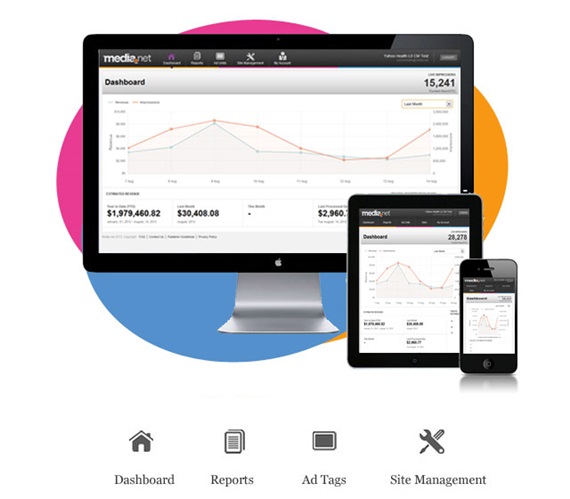
When paid per click is not working, try cost per mile ads. Simply, you'll be get paid for thousand impressions on ads. More the traffic, more money you make. While adsense also pays you for impressions but those who don't have adsense can go for CPM networks. Media.net, Madadsmedia, etc are the best networks that you can go for. Personally, we're using media.net and our experience is even better than adsense. So we'll say that media.net is a great alternative of adsense.

2. Affiliate Programs

Affiliate programs are best for blogging niche and they're many relevant programs that you can join and start promoting their products. You can find affiliate programs on web hosting sites, blog theme sites like themeforest, plugins, SEO products and many more. If you can't affiliate products for your blog that simply go to ClickBank which is most popular largest affiliate network, there you'll get tons of products to promote and earn commission. You can put product banner in your blog or even can write review about them to generate sales and enjoy the commission. 

3. Banner Advertising (BuySellAds.com)

Another best method for monetization blogging niche blog is selling ad banners in your blog. BuySellAds.com is one of the best network for this kind of advertising. BuySellAds is a bit difficult to get approved account but if you got quality blog with huge traffic than chances are higher to get listed in BuySellAds directory. Once your blog is listed in BuySellAds directory than advertisers will be able to view your blog and any advertiser can purchase ad slot on your blog which will have fixed price and advertiser's banner will displayed for next 30 days. Give it a try and if you're approved than you won't be disappointed.

4. In-Text Advertising - InfoLinks.com

In-Text advertising is also popular these days in which some words in your content will be converted into ad links. On hovering, it will display ad overview and if these links got clicks than you'll be easily paid. InfoLinks.com is one of the top first ad network for this type of advertisement and is considered the top AdSense alternative. Even if you got AdSense, you can run both AdSense and InfoLinks on your blog to generate extra income. If your most of the blog traffic is coming from top countries such as USA, Canada, UK than InfoLinks got highest payout rates for you. 

5. Sponsored Reviews

When everything above doesn't work for you than this will surely work for you. Don't know either you've heard about it or not but once you know and try this method and you'll surely love it. Sponsored Reviews - Here we need to contact some relevant companies to blogging niche such as Hosting companies, SEO companies, Ad companies etc but these companies must be new and recently launched. Okay, so we need to get in touch with them and ask them an offer that we'll publish their product review on your blog which has decent readers to increase company's audience and users and you'll charge some amount in back. Before you contact any company, make sure you've good page rank and alexa and also use some email tactics to let company accept your offer.

6. Start Coaching & Service

Well, you can turn your readers into clients through this way but here you must be experienced pro blogger. You can start coaching where you can teach blogging SEO and other money making strategies to your readers and you'll charge them reasonable amount. Well, you can also start service in which you'll can provide different type of blogging services such as SEO service, creating backlinks, WordPress setup, content writing etc. This will need you to create pages where you can describe fully about your service & coaching along with price quotes. Also create a nice form for submissions. 

7. E-book Selling

Got epic writing skills? This method is only for you! You can start writing e-books to make even more money. E-book writing can be difficult because here we need to both e-book topic expertise and also writing skills. You can write e-book on SEO, blogging, money making strategies and try to put them on Amazon Kindle where you can generate a lot of sales. It needs loads of hard work but remember hard work always pays.

Money is waiting for you!

So, what you've thought to go for? Think wisely and try these methods because money is waiting for you. AdSense is not everything and you can make hell more than AdSense. Hope this article will help you and also share this article with your friends. Got some more metods? Let us know in comments because sharing is caring buddy! Cheers!

Thursday, 28 August 2014

Who is the Highest Paying Sponsored Content Network?

by
Content.ad is one of the oldest and largest �sponsored content� networks, serving over three billion page
views and 55 billion sponsored content recommendations per month. Content.ad distributes high-paying premium content that doesn't look or feel like advertising and delivers engaged visitors to websites.

Content.ad is focused on generating the highest possible CPMs & revenue for its publishers. Content.ad works very closely with advertisers to craft content and creatives that drive consumer interaction, which boosts your revenue. Through carefully developed algorithms Content.ad is able to run the offers that make publishers the most money possible. To top it off, Content.ad also offers a healthy rev-share rate of 70% to publishers instead of 50% like other networks.


Content.ad will not force publishers to commit to long-term contracts. If the Content.ad solution isn�t performing for you, the team will be happy to discuss solutions with you or you can remove it, simple as that. After all, it�s your site and you should be free to use whatever service you want whenever you want. Test Content.ad for a week, a month, or set-it and forget-it

Other reasons to work with Content.ad:

The Content.ad widget can be customized to fit cleanly on any website and can be used to promote a publisher�s internal content 100% free of charge.

Content.ad will not reject any site due to low traffic level.

Content.ad�s sponsored content is free of malware, get rich quick schemes, and other shady offers. The Content.ad team manually pre-screens every ad offer before allowing them access to be displayed to the network.

The Content.ad reporting dashboard is highly revered for being sleek and simple, yet powerful.

The Content.ad team is highly responsive, knowledgeable, and friendly.

Over 2,000 publishers, from small blogs to top tier sites, have signed up with Content.ad. Click here to find out how to get started.

To find out more, contact:

Tim Mancino
Business Development Manager
Tel: 949.419.0262 ext 237

Testimonials

�We've been very pleased about how easy it is to work with Content.ad.� - Becca Sickbert (Colorado Springs Independent | csindy.com) 

Friday, 4 July 2014

BuySellAds Review: Best Advertisement Platform For Bloggers

by
BuySellAds
It has always been a big problem for newbie bloggers to monetize their blogs. While the best way to make money from blogging is to do things by planning. Make a proper plan and do according to get success. Yeah! We need to a lot of patience to kick off earnings but most of newbies also don�t have patience and give up. Well, they also depend on Google AdSense only and just get stuck on it as AdSense also need quality publishers and keep disapproving the low quality publishers. However, there are many more alternatives of AdSense and even there are many effective ways that can make even more money than AdSense and newbies should come to know them. Other than AdSense, blog can be monetized by paid posts, direct banner ads, CPM ads, CPA ads, services and many more. But what about BuySellAds? BuySellAds is also the best advertising network for bloggers and you might have heard about it but today, we�re going to review this network deeply.

BuySellAds � Introduction

BuySellAds is the web advertising network where ads are being sold and bought for promotion and earning purposes. Basically, it is a place where both advertisers and publishers meet with each other and make a deal about advertisement easily. For bloggers, they can join the publisher account and start selling ads of their blogs.

How It Works For Bloggers?

BuySellAds can be the main source of income for bloggers if they work with it with huge interest. First of all, Bloggers need to apply for this and before applying they must checkout the criteria so that they may not get denied. If their criteria is not much matching for your blog than you may work on your to get such result. After you applied for it, it will take some time to get your application reviewed. Once you�ve got approved, you�re ready to go.

After getting your blog approved there, now you need to make some ad slots on your blog. Check which space is available in your blog and make ad slots for those places. Try to choose such places where visitors are having high impressions like above and below content, header, etc. So, after creating ad slots, you�ve to put codes there. They are automated codes and will show ad banners automatically if some purchased. These codes also collect data such as impressions and blog traffic that helps you to make sales.

Once you�ve done the setup, within some days, your blog will appear in BuySellAds directory for selling ads on your blog. BuySellAds have large number of advertisers and slowly slowly your blog will sell more and more ads. When someone will purchase ad slot on your blog, you�ll see message in your account about that and you�ve to decide, either you approve or deny it. After that the banner ad is displayed next 30 days on your blog and it will vanish away automatically after 30 days. Within these 30 days, you�ve to do nothing with these ads, you just need to work on your blog, update it, and promote it or whatever. But don�t be inactive because it may lose your blog traffic and it can effect on your BuySellAds.

Payment System

You also don�t need to worry about payment system because it is also automated and secured. Your each ad slot will get specific price and the advertiser will pay exactly that fixed price. After the ad slot is sold, you will receive the money in your BuySellAds account and all the money is first stored there until you decide to withdraw it. Another thing, BuySellAds also takes commission from your each sale and its reasonable because they manage everything for you. Now you can withdraw your earned money with two methods.

The first method is PayPal. The most loved way to send and receive money online. I think you know about this, right? Every blogger is known with PayPal. So, the minimum threshold for PayPal is $20 dollars which means you must have atleast $20 to withdraw with PayPal. Secondly, there is wire transfer method that is common and easy. Its minimum threshold is $500.

Some Approval Tips

So, This is your first time for applying to BuySellAds Publisher account and almost 70% of publishers have got rejected in their first application. So if you got disapproved than don't feel that you can't do it but you can do it by knowing what kind of publishers they want and be the one of them. Okay, here are some approval tips for you.
  1. Domain Name : The first and important thing that you must have is domain name. BuySellAds don't accept sub-domains like .BlogSpot.com but try to get .com, .net, .org or any other good domain for your blog and than go for BuySellAds.
  2. Blog Content : Your blog should have high quality content and not copied from other blogs. Your blog niche should also be available in the category of BuySellAds.
  3. Blog Design : BuySellAds also consider design as important thing as it helps them to make more sales. Try getting a professional and responsive theme for your blog.
  4. Blog Age : You blog must be at least 6 months old before applying for BuySellAds.
  5. Blog Loading Speed : Try to make your blog fast to load and keep your blog clean by removing unwanted things.
  6. Privacy Policy and About Us Pages : These pages are important to be made before publishing the first blog post. And they also help to get approved from several popular companies like BuySellAds.
  7. Blog Traffic : You must be getting 50,000+ impressions per month on your blog.
  8. Other Ads: Remove all the ads from your blog before applying for BSA.
  9. Page Rank & Alexa : You must have good page rank and alexa rank should also be less than 20,000.
  10. Social Followers : This one is also important so make sure you've good number of social followers on every network.

How To Apply For BuySellAds?

Okay, so once you've got all these things than you're ready to apply for BuySellAds. Follow the steps below to apply for your blog.
  • Go To BuySellAds >> Signup and Make Your Account First.
  • Now Login To Your Account.
  • Go To Publisher Dashboard and Click "Submit a Property"
  • Now, the form will come up which you've to fill.
  • In that form, you've to give your blog URL (without http://), blog name, blog description, language, blog type/category and average monthly impressions. 
  • Simply, fill it all and click "Submit" button at the bottom.
  • That's it.

Best Of Luck

BuySellAds is really one of the best advertisement platform for bloggers, once you got approved there than you might forget all other networks. So, best of luck in get approved there and hope you liked the review. Don't forget to share your views in comments and also share this with your friends.

Tuesday, 25 February 2014

Top 20 Google AdSense Alternatives - High Paying

by
Adsense Alternatives
AdSense Alternatives ! - This keyword is started searching by bloggers and publishers when they're fed up of getting disapproval mails again and again. So, If you're also one of them than don't miss this post because below you'll be getting some high paying Google AdSense alternatives.

As it itself proves that Google AdSense is the world's best advertising platform where both advertisers and publishers are busy and happy in ad serving. Most of newbie bloggers only depends on adsense for monetization while its not good and also apply their blogs to get approved adsense account. On other side, Adsense network is growing day by day and their policies are also being very strict in which newbies are unable to get approved account. Even sometimes those blogs are also denied who comply with policies but Adsense has its own choice to make someone publisher or not.

So, newbies get disappointed at that moment and lose hope of making money with blogging. But wait, world do not end here, take a little usual daily life example. When you're buying something on any shop; just suppose of a mobile and its not available on that shop than what you do at that time? You probably go to another shop as you're in mobile market. So, if adsense is not giving you ads for monetization than you can go for other alternatives. Well, you may be new and don't know about other alternatives so here is a list of some adsense alternatives with some information.

1. BuySellAds

BuySellAds is one of the best Google AdSense alternative which you can use for to monetize your blog. This is little different from adsense but you can make even more money from this than adsense. First, you'll need to apply for a publisher account and once approved than you're ready to go. There you'll need to create ad slots of your blog and your blog will be listed in BuySellAds directory. There advertisers can look your blog and if someone is interested than that advertise may buy any ad slot of your blog for 30 days or some months. The price is fixed of every slot. The more traffic you've, you can increase the ad slot price yourself and the more you'll earn.

2. Media.net

Yahoo Bing Contextual Ads Network also known as media.net as because they had contract between. You can also make money from your blog with media.net by displaying their ads on your blog. This is CPM (Cost Per Mile) or RPM (Revenue Per Mile) advertising network that pays you for having miles of impressions on ads only. As usual, you need to apply first and get approved than implement ad codes to your blog to start monetizing your blog. In the reports, you'll get RPM that gets set automatically and high RPM depends on traffic quality. If the ads get 1000 impressions than you'll get that RPM price lets suppose RPM is $1. If the RPM is $2 and the ads get 5000 impressions than you're earning will be $10. 

3. InfoLinks

People also use InfoLinks to monetize their textual content. We're bloggers and we mostly write articles on different niches so InfoLinks is only for text content websites as their ads are something related to that. After getting approved and implementing the ad code in your blog, ads will appear differently. After adding code, when you'll check your blog, some words in the text content will contain links on that. Actually, In this ad network, ads are displayed on textual content in which some words will be converted into links with relevant ad as that script does itself. So, when your readers will be reading your articles and someone clicks on that ad links than you'll be paid.

4. Peerfly

Peerfly is something what that can help you to earn high budget in less traffic. This is completely different from all above networks and also from adsense. It's completely different adsense alternative. It is CPA (Cost Per Action) international affiliate ad network that pays you for action. First, you'll need approved account there and than you can browse different type of affiliate offers there. It is international and has every category of offers so you'll need to browser your niche related offers. After finding any relevant offer with your blog niche than you can promote that offer on your blog by putting a banner, sending custom emails to blog readers, blog post etc and when any of your reader will take action for that offer just suppose offer is for buying something and your reader makes a purchase than you'll be get paid easily.

5. Chitika

Chitika is also popular and best adsense alternative. Chitika is almost same as adsense but few things are changed in chitika. You'll need to create a publisher account and take ad tags from there which you've to implement on your blog. The most relevant ads will start appearing on your blog and when someone clicks on the ads than you'll be paid. The advanced things Chitika has that it has popup ads, frame ads and some more ad types that help you to earn extra income. Payments are easily made with PayPal and if PayPal is not reachable for you than you can use Check method to receive payment via Check.

Other AdSense Alternatives

  1. Kontera : Cost per click based ad network which contains In-Text, Mobile and Display Ads. Minimum payment threshold $50 with PayPal, Wire and Check payment methods.
  2. Clicksor : In-Text Ads, Text Banners, Display, Pop up and Interstitial ad types can be found in this network. Minimum threshold $50 and Payment time is net 15 days.
  3. Bidvertiser : CPC based target text banner ads and also display ads. Net 30 days payment time with $10 minimum threshold with PayPal. Wire Transfer and Western Union are also available.
  4. Qadabra : Only display ads Qadabra has and pays on CPM. Minimum threshold is only $1 with PayPal and $500 with Wire Transfer. 
  5. Link Worth : This network has many type of ads including Targeted text, display, sponsored posts and also In-Text. Payments are made after every 30 days and minimum threshold is $25 with PayPal and $100 with Wire Transfer.
  6. PublicityClerks : This is direct ad banner buying and selling network just same as BuySellAds. You'll be paid when any advertiser will buy ad slot on your blog for 30 days. Payments are only made with PayPal.
  7. MadAdsMedia : Cost Per Mile based ad network that pays on 1000 impressions. Note : Their ads had caused malware detection few days ago. Sooner or later, they may fix that but beware of them.
  8. AdSide : Target text, Mobile, In-Image, In-Video, Pop-unders ad types with $50 minimum payment threshold with Check.
  9. Vibrant Media : Screen takeover, In-Text, In-Image and Display ad types are available in this network $50 minimum threshold by check and wire transfer. Payment time is net 45 days.
  10. Intellilinks : In-text ads only with PayPal payment method and 30 days net payment time.
  11. BlogAds : Direct banner ads selling and buying network where you can sell your ad slots for 30 days. Ad slot prices are your own choice and payments are made with PayPal and Wire Transfer.
  12. Tribal Fusion : Seems the best CPM ad network and perfect alternative of adsense. The earnings are high on this network being a member their may be difficult. Minimum payment is $100 with PayPal and Wire Transfer.
  13. Casale Media : This is also CPM based ad network that pays on impressions. It can be perfect adsense alternative for you if you get approved there but they only select high traffic sites. $25 minimum payment with PayPal and Check.
  14. ShareASale : Cost Per Action based affiliate ad network that pays on completing an action. 
  15. Exit Junction : Pop-under based ad network that display ads when any visitor leaves your website popup ads comes and pays on when someone clicks on ads. 
  16. Is there any adsense alternative missing? Drop an email to us to list that here!

How Were These AdSense Alternatives?

Don't worry man! If adsense is not approving you than you can try these ad networks for monetization for your blog. Some of these pays lower than adsense and some also pays even higher than adsense but blog traffic also matters. If you've high blog traffic than you can earn more and more. Hope you liked these AdSense alternatives.

Sunday, 15 December 2013

Earn Money By Hosting Giveaways on Your Blog

by
Make Money Sponsoring Giveaway on Blog
These days, it's a dream of every blogger to make a big income monthly with his/her blog. We've shared many methods to monetize your blog such as make money with Google Adsense, Yahoo Bing Ads Network, Web Hosting Affiliate Programs, Email Subscribers List, Web Design and Development etc. but today I'm going to share another method for you. You guys might have heard about hosting giveaways on your blog but ever thought that a person can make money by hosting giveaways on his blog? So, in this article, I'll show you that how can we earn money by hosting sponsored giveaways on your blog.

Basic Process Of Offering Giveaways on Blogs

Those who are new to this thing "Hosting or Offering Giveaways on Blogs" can have a read in this passage to know more about it or basically I'm going to explain that what is its process especially for newbies. Let's suppose If I have any special thing like any premium product and I want to give that for free to any one of my readers but whom should I give that product? So here we make a contest in which every reader can participate to win the product. In this kind of contest, every contestant needs to promote the blog in which the giveaway runs and for that contestant can do social promotion like sharing blog on Facebook, Twitter and many more. For each action, a contestant gets points. It means the more you promote, the more points you'll get, if you've more points, you've a chance to win the contest. So, At last, a winner is that who has the most points and winner gets the premium product. All this process is done by automated generator like counting points, generating referral links, social promotion tips and many more. This also helps the blog owner to increase the traffic and get popularity in very less time. 

Get Paid By Hosting Giveaways on Blogs With Giveaway.Ly

So, if you're known to the basic process of hosting or offering giveaways on blogs then you'll not feel any problem in understanding this process. Let's start the process step by step.

Step 1. Apply For Giveaway.Ly and Get Approved

The first step is very simple and it is that you've to apply your blog on Giveaway.Ly. So, go on that site and create an account their. Remember this point that you must make Blogger or Publisher account and don't choose Advertiser account. Creating account is easy but getting approval can be difficult. Activated your account by verifying email. Now, add your blog into your Giveaway.Ly account. While adding blog there, try to write a good description and also choose good keywords. After adding your blog, it's also important to Verify Analytics which will help advertisers to know better about your blog traffic. So, don't miss this thing. So, now you've applied your blog and it can take up to a week to review your blog and approve or deny it.

Step 2. Get Sponsored Giveaways and Accept or Reject Them

Once your blog is approved by their team and you're ready to go with them. When your blog is approved there, it will be listed in their directory. Now here it is important to have high traffic in order to make huge money from it. From here, any advertiser can choose your blog to run his/her giveaway if your blog traffic fulfills his/her needs. Simply, You'll start getting sponsored giveaways and it's yours to accept or reject any giveaway. You need to be careful in accepting any giveaway because it matters a lot. Try to accept the most relevant giveaways with your blog niche and the giveaway prize should also be liked by your readers which will even help advertisers get a huge audience.

Step 3. Make Giveaway Live on Your Blog 

If you've got the most relevant giveaway with your blog niche and accepted it then it's time to make give away live on your blog. At this moment, you'll get "Giveaway Widget" code which you've to post in your blog. Simply, make a new post about that giveaway in which you've to describe the contest rules, guidelines and the process of giveaway contest. But here is one thing changed from usual, the promotion which the contestants need to do will not your blog promotion but that promotion will be for an advertiser like following advertiser on his social networks and visiting his blog or site. It means the promotion will be for Advertiser that's why someone will want to host his giveaway on your blog and he'll pay you for it. As the contest starts getting more participators, The advertiser will be getting more audience.

Step 4. Announcing Winner and Giving The Prize To Winner

So the giveaway contest is over now, everyone might have enjoyed the contest for winning the prize and its time to announce the winner and sending giveaway prize to the winner. In Giveaway.Ly, you'll get known that who is the winner and who has made most of the high points. So you can edit that Giveaway post and make announcement in that post that is who is the winner. If there is any notification bar in your blog then you can also announce through it that who is chosen as the winner of the giveaway. And there will be opting in Giveaway.Ly dashboard to send him/her the giveaway prize if there is not any option then you can do it manually. Once the winner gets his prize, The giveaway ends here.

Step 5. Cashout Your Money

So it seems like the giveaway is over now and you're ready to cashout your money. So, Advertiser gives you some money and that can be how much you ask while setting up a blog in Giveaway.Ly and if you accept and host any giveaway on your blog then you get paid for it. Because that giveaway widget generator gives audience to the advertiser's blog or website. And the actions which contestant needs to do are for the Advertiser's website not for ours. Once the giveaway is over, you're ready to cashout your money. You should setup PayPal as payment method or choose any other method which suits for you. And payout the money into your PayPal or into any other account and you can do this in your Giveaway.Ly dashboard. That's All.

Final Words

That was an easy process of making money online by hosting sponsored giveaways on your blog and I hope it will help newbies to understand the process of hosting sponsored giveaways. If you can't get approval at Giveaway.Ly then try to improve your traffic that can be the big fault of getting disapproved and you might get emails or contact messages if anyone wants to do sponsored giveaway on your blog. Any questions? Ask me in the comments please and also share this article with your friends. Take Care!

Sunday, 8 December 2013

How To Show AdSense Ads in Mobile Version of Blogger Blogs

by
Display AdSense Ads in Mobile Version
Every blogger wants to increase their adsense earnings as there are many ways to boost up adsense earnings. Displaying ads on proper places, increasing traffic, targeting USA traffic, targeting high CPC keywords are well known methods to increase adsense earnings but today, I'm going to share a unique idea by which you can boost up adsense earnings. Most of bloggers, who are using "Blogger" as their blogging platform are loosing mobile traffic for monetization. Mobile generation is being spreading rapidly as people in high paying adsense countries like USA, Canada are using Mobile and other small devices like Tablet, IPad to surf the internet. In blogger, We don't get much access to customize mobile template but just yesterday, I discovered a method by which we can show adsense ads in mobile version of blogger blogs. As I told you that USA and Canada people are leaving Computer and are getting small devices like Mobile and Tablet to surf internet so we should also optimize our site for these devices. If we display adsense ads in mobile version of blogger blogs then there is chance to get increase in adsense earnings. Before we get started into the tutorial, First of all, let me show you a demo that how ads are actually being shown in mobile version of blogger blogs.
Also Read : Make Money With Google AdSense

Display Ads in Mobile Version of Blogger Blogs

Displaying ads in mobile version of blogger blogs will definitely help us to increase our earnings as we'll not loose mobile traffic for monetization. In the mobile version template of blogger blogs, only two ads will appear. First one will be above the blog title which is best place because there chances are higher to get high impressions, pageviews and clicks and it is horizantal ad unit with responive size. Second ad appears in the bottom of the whole blog which is square ad and it also has responsiveness which will be fitted in every screen device. 

Tutorial 

There is nothing any big tutorial to show adsense ads in mobile version of blogger blogs but I want to say the whole tutorial in a single sentence then it will be like this. Google AdSense ads can be appeared in mobile version of blogger blogs by enabling adsense from "Earnings" page and it will automatically start showing up. If you're enough smart then you can understand the whole tutorial easily from the above sentence if no then here is step by step tutorial to do that.
  • Go To Blogger >> Login >> Dashboard >> Earnings
  • Setup Your AdSense Account There. [You can sign up for new account if you don't have, If you already have adsense account then click "Sign Up" and login with your adsense account. If adsense account is disabled on that blog then click "Switch AdSense" and setup your account by providing some information.]
  • After Setting Up AdSense Account There, Tick Mark "Yes" on "Show Ads on Blog".
  • In "Display" option, Choose Any Place To Where The AdSense Will Be Showed.
  • And Finally Click "Save Settings".
  • That's It.
Once you've done all the steps properly, then ads will start shown up within seconds. Most of bloggers, used to insert ad code in blogger to show adsense ads in blogs due to getting the default blogger account getting disabled but you show ads in blogger through it's own settings then it will show ads in mobile version of blogger blogs. 

Last Words

That was the easier tutorial by which anyone can easily show adsense ads in mobile version of blogger blogs and I recommend every blogger user to show ads in mobile version because it will surely help you to increase your adsense earnings. I hope this tutorial is going to be helpful for everyone, share your views about this guide in comments and don't forget to share this with your friends. Take a lot of care till the next post. 

Monday, 18 November 2013

Best Places For Adsense Ads To Increase Earning

by
Best Places For Ads To Increase Earning
Google AdSense is known as one of the best PPC network to earn money online by displaying their ads on our website or blog. It is also most famous for bloggers and this is the main source of many bloggers to monetize their blogs. When the newbies get started with AdSense, They don't know much how to use that effectively and they put ads on wrong places by which they're loosing their revenue. If you're also beginner in AdSense and don't know what are the best places for AdSense where you may place ads and increase your earning then don't miss is newbies guide. In this guide, we're going learn about best places for ads to increase earning.
Recommended : How To Make Money With Web Design and Development?

1. Header [468x60 / 728x90]

The first place for AdSense Ad is in header. It is known as golden place because it will help us to make 50% of total earnings from this ad slot. The reason, the header of our blog is seen by everyone without scrolling down and visitors will also see the ad there. In the header, we can get high impressions and ad clicks because that is the most attractive place in the whole blog. The recommended ad sizes for headers are 468x60 and 728x90. Place any one of these size's banner here which should be suitable with your blog. As a demo, currently you can see the 728x90 ad banner in our header which will also help you to increase earnings. Also choose the text or display ad widely which will be depending on the background of your header.

2. Below Post Title [300x250 / 336x280]

After Header, we've another most used place of pro bloggers to display the second ad on our blog. So, this place is below the post title. This ad should only appear inside the post otherwise in the homepage, it will be looking ugly. If you check other blogs having AdSense Ads with high earning then you will notice this thing that there is always any kind of Ad below the post title in their blogs. As in the header place, here we also get high impressions and ad clicks because that ad will be near to the content and visitor comes to your blog for the content. So, it increases the chances of getting more clicks and increasing revenue. The ad size for this place depends on the theme or design of your blog but the recommended sizes are 300x250 and 336x280.

3. Between Content or Posts [468x60 / 300x250]

Adding the AdSense Ads between the content or posts of your blog is also most popular now as most of the pro bloggers are using this place. This place is also best for ads as visitors will surely see that because that will be shown between the content and your visitors needs content. Here we can also get good number of ad clicks as it will be seen by every reader. The recommended sizes for this are 468x60 and 300x250 but you should choose that size which should be appropriate with the location and theme. If you're providing text content then I recommend you to use Text type widget there that will help you to get more clicks. There is a plugin for WordPress which you can use to show ads between content but for Blogger, we've technical code by which can do that and it will shared here soon.

4. Sidebar [300x250 / 300x600]

Google AdSense allow us to place only three ads in a current page if you add more then they won't display there but if you've premium Adsense publisher account then we can display at least four ads in a single page and above three places are perfect if you're normal publisher. If you're a premium publisher and want to show four ads in your blog then Sidebar is perfect place for the fourth ad unit. There recommended sizes are 300x250 and 300x600 which will help you to gain more clicks. This one is also perfect for high impressions, views and clicks as well.
Also Read : How To Insert Ad Slot Banner in Feedburner Emails?

Advanced Guide

If these places are not available in your blog because of theme, template or design then read this guide. It is not important to place ads on the above given places but try to add ads on such places where you may get more clicks and find the reason why you'll get more clicks there. Try to use such area for ads which should be seen by every visitor without scrolling down and that is the reason Header is known as Gold area. Yeah! You can place ads with or between your content and that is best because people come at that area to get the content and you can take benefit from it. About the sizes, you should look for the appropriate sizes which may fit with the area. After all, If you still can't put ads on your blog on proper areas then you may be using such theme which is doesn't have better ad places. You can see the latest themes which are already having proper ad areas and you can change your theme and it mush have proper ad places.
Wanna Make More Money : How To Earn Money Through Email Subscribers?

What About Three Columns Blog?

Well, If you're using three column theme or template on your blog then you might be confused in adding ads on proper places then let me help you for this. In the three column blog, you can add the first ad in header, second below the post title, third between the posts and fourth in any sidebar. If you don't like this ad placement then we've also another idea for you. So, add your first ad unit in header, second in the left sidebar, third in the right sidebar and fourth below the posts/content.
Read : Make Extra Money With Web Hosting Affiliate Programs

What To Avoid?

Most of the beginners are in big hurry to be billionaire with their new AdSense account but it's not easy to earn high revenue with AdSense in only few days. It will take a lot of time to build your blog and traffic. Traffic is the most important that will help you to monetize your blog. So, try to concentrate on regular blogging and also doing proper SEO. So, in this kind of hurry, most of bloggers uses the pop up ads on their blogs which are not good for them. Yes, I know it will help you to generate more income but that is against the Google AdSense's terms and conditions. So, try to avoid using pop up ads [Specially AdSense] otherwise there is chance to get your account disabled.
Alternative To AdSense : Yahoo Bing Contextual Ads Network

Final Words

These were some best areas and advanced guide by which you can improve your AdSense earning by displaying ads on proper places. I hope this guide is going to be helpful for everyone who is reading this article. If you've any suggestions, question, tip then feel free to leave a comment below and also share your views about this. Take a lot of care of you and your family. Happy Earning!

Friday, 15 November 2013

How To Make Money With Web Design and Development

by
Web Design and Development
Web designing and development has been spreading rapidly throughout the world as a lot of newbies are coming into this world for learning web design and development. Everyone can learn web design and development by buying DVD courses, joining any institution, watching free video tutorials and also on free web design and development teaching sites. There are a lot of benefits after learning this because by this, a person can make money online from home through his skills and big companies can also hire him/her if the skills are amazing. In this article, I'm going to show you some methods by which you can make money with web design and development.

1. Start Your Own Service

If you want to be all time web designer or developer then it's a great chance for you to start your own service. In this service, you need to create your own online website or even you can get an offline office where people will come to hire you. I would recommend you to go for the online process. Make your own website where you've to offer people for hiring you and creating designs, developing scripts, fixing their bugs and much more. Before starting this service, you should be best in the service which you're going to provide. You can set several options to do the payment like PayPal, Payoneer, Western Union, Bank Transfer and more. 

2. Themeforest 

If you don't want to go for the long process on starting your own services then believe me this method is one of the best of all others. Themeforest is a platform where people can develop, design the themes of different platforms like WordPress, Joomla, Blogger and easily sell them at Themeforest. First you need to prepare the item which you're going to sell and before creating something, you've to check what's trending there currently which will help you to get more sales. Get started in designing any theme and complete it in some days. After completing the theme, submit it to the Themeforest and it will go for the approval. Once, the theme is approved, it will be listed in their store and anyone can easily purchase that. There is no required number of item sales so it can be sold lifetime. You will receive your earnings via PayPal and Check.

3. Codecanyon 

Codecanyon is another platform which is almost similar to Themeforest. Themeforest allows you to sell your themes but in codecanyon, you can sell the elements which you've created like Navigation Menu, Accordion widget, buttons, social widgets, scripts and much more. Same as in ThemeForest, first you've to prepare your item which you're going to sell. After creating that, submit it and it will be reviewed in sometime for approval. If it got approved, then it will be stored in their market and people will be buying that and you will be receiving the money or revenue. Payment methods are also same here.

4. Make Web Design Tutorials and Sell Them

If you really think that you've something better than all other web designers then you can make tutorials on Web Design and Development and sell them throughout the world. In simple words, earn by teaching others. You can be a good web design teacher and it will surely work for you to make huge money. Either you teach others in any institute, home, online or you make tutorials and sell them, both are effective ways. In my opinion, making tutorials will be better because teaching all the customers one by one can be difficult and it will take long time. 

5. Start Your Own Web Design Store

Starting your own web design store is not a bad idea because your store can make better money through other methods. Your store can be a online website where you've to create and sell your own items even you can give those items for free but with both methods you'll be earning better. By offering free products on your store, you can make money by showing ads on your site. They can be Google AdSense ads on even any network's ads. By selling your products, you can earn good income through them. Like Themeforest, you can also start your own platform where people can create and sell their themes and your earning will come as the commission on each sale of every theme.  

Final Words

So friends, these were some awesome ways to make money through web designing and development. I hope you've enjoyed reading this article. These are some common ways to monetize your web designing skills and one thing, designers and developers have creative minds, so if you're one of them, then be creative and think for the awesome ideas to make money with your skills. Take a lot of care!

Saturday, 2 November 2013

How To Insert Ad Slot Banner In Feedburner Emails With Blogger

by
Place Ad Slot In Feedburner Newsletter Emails
As we're continuously discussing about email subscribers, today I'm back with another post about it. Recently, I shared that how can we make money through email subscribers list and how to increase email subscribers. Today, we're going to learn that how can we insert the ad slot banner in Feedburner newsletter emails with Blogger. Yeah! It's all about make extra money with email subscribers as in my previous post, I had shared some effective ways to earn through subscribers and this part is also one of them. But, most of you guys might don't know that how can we show ad slots in newsletter emails so this tutorial is specially for them.

Earn Money By Putting Ad Banners In Newsletter Emails

If you have good number of email subscribers which can be between 5 to 10 thousand then you can earn handsome amount from it. It's not only important to have large subscribers but they also should be active in reading your updates which you send them. Well, This is the perfect and easiest method for earning bucks through subscribers. First of all, you need to promote this offer that you're offering ad banner space in newsletter email. You can create a separate page for it or put this in advertise page. Write the descriptive information about it so that people should be interested in buying the banner. Now, if you receive any order that someone wants to buy that banner then get the money and banner from it. Put the money in your pocket and the banner in the newsletter email. That banner can be displayed for 30 days or it can be more if you want. I've discussed more about this in my previous post, so this post is about inserting the banner in email newsletter. Let's get started for the tutorial.

Put Ad Banner In Feedburner Newsletter Emails With Blogger

Make sure that you're using Feedburner for sending updates to your subscribers and Blogger as your content management system. So, first you need to upload that image or banner anywhere to get it's URL. You can upload it in the post editor of blogger and get its URL. Follow the below simple steps now.
  • Go To Blogger >> Dashboard >> Settings >> Other
  • In the Site Feed section, There will be Post Feed Footer option.
  • Click on Add link and a box will appear like below image.
  • Copy the following code and paste it in that box.
<a href='URL OF THE ADVERTISER SITE' rel='nofollow' ><img src='BANNER IMAGE URL' /></a>
  • Replace URL OF THE ADVERTISE SITE with the link where the subscriber will go when he/she will click on the banner.
  • Replace BANNER IMAGE URL with the URL of the banner.
  • Click Save Changes button at the top right corner.
  • That's all.

Final Words

So friends, that's how we can insert the ad slot banner in feedburner email newsletter with blogger and earn bucks from it. Remember, you should not implement a lot of ads by which your subscribers can be irritated and it can be chance to get that subscribers unsubscribed to your blog so you also need to take care of your blog. Money comes second, first you've to treat your subscribers. And this is only for the educational propose, we're not responsible if you loose your subscribers by this. Take Care!

Tuesday, 22 October 2013

How To Make Money With Your Email Subscribers List?

by
Make Money With Email Subscribers List
The Money is in your list - This is the most popular quote which is said by bloggers, email and affiliate marketers and also by entrepreneurs. If you've a good number of email subscription list then you can easily make money with it and here in this post, I'm going to share some pretty useful ways to generate more revenue with your email subscribers list.

You might already know that Email System is being used widely on the internet and it is growing day by day. It is one of the common thing which is being used on almost every computer which has internet connection. Along with this, you might have seen that every blogger and web master provides the subscription form by which people can subscribe to the site by email and can receive the hot updates directly in the inbox. Well, you can be the one of those webmasters who run a blog or site and have a decent number of email subscribers and usually read each and every email which you send them. If you've all these, then you know, you can make a lot of money through your email list and it is really easy. A person just needs to build a email list. The more subscribers you have, the more money you can generate. In the beginning, you may not get the good response but after some days, you'll surely get good result. But remember one thing, you should have great number of subscribers and they must read your emails what you send them. Below, I'm going to share most popular ways to make money with email subscribers list.

 1. Develop and Sell Products

Do you have expertise in developing the most useful products like Apps and Themes? Then this section can be helpful for you. First of all, develop any amazing product which must be liked by your subscribers. Then send them an email regarding to your new product. Make the email look like fancy by customizing it. Write and Explain the importance and features of your product as more as you can. In simple words, make your email like that your readers or subscribers should love it and buy it from you. You can sell that product to people as more as you can and for this it requires the good number of email list. Even you can tell your subscribers about your developing skills and they could hire you personally to develop any brand.

2. Recommend Products That You're Using

Are you using any paid or free products that can should be awesome with great features and also can help your subscribers then recommend them those products which you're using. Once again, you need to create the attractive email which should be lovely in look and attract the subscribers mind to buy the product. Here you can send them the affiliate link of that product as a download or buy link and it must important that product that you're sharing must have the affiliate system. So, when the recommending product email is ready then send them all but don't forget to insert the affiliate link as buy link or button. Now, if someone purchase that item through your link then you'll get the commission of it from the seller of that product.

3.  Sell an Ad Space In Your Newsletter

So, you update your brand regularly and you also send the updates about them to your email subscribers then this method can work for you. Customize the newsletter email and insert the ad space unit there like banner [Advertise Here]. Before that, you've to create a page in your brand about the ad space banner in the newsletter email. Create the descriptive page that how many subscribers you have, do they get updates regularly, how much the banner will cost for one month, how it can be helpful for the advertiser and more as you can. Then, you've to create the ad space in newsletter email and also add link on it to the page that you've created so that your readers also get known and they could also advertise there. Simply, After some days, you will start receiving the sales that someone wants to purchase that ad slot in newsletter.

4. Send Paid Emails To Your Subscribers

If possible, you can send the paid emails to your email subscribers and can earn good amount from it. Make an announcement on your blog that if someone wants to promote his/her brand then he/she can send the custom paid email to your email subscribers. That email should contain the relevant tool, product, site or blog to your niche in which your subscribers should be interested. Don't send the irrelevant paid emails that are not liked by your subscribers because after that they can unsubscribe you. Here you've to ask the brand owner for a good and reasonable price for that one email. Don't send a lot of paid emails because your readers can be irritated and you should take care of them instead of annoying them. I recommend to send only one paid email in a week that is a better choice.

5. Monetize "Thank You" Redirecting Page

Most of the webmasters, bloggers and custom site owners usually redirect their new readers to a thank you page after completing the subscription. That thank you page consists of that what the new readers will receive in the upcoming emails and more detail is listed there. Here is the idea to monetize that thank you page by which you can make money from your every new subscriber. First one is the simple, which is showing the advertisement on your thank you page and that advertisement should pay you for the impressions because mostly, no one click on that ad and "Paid Per Click" network can be worst here. After that, here is the second method. In this method, you can write something about the affiliate products and suggest your new readers to buy that. Tell them a real story behind that product that should be happened with you in previous and this can get you more sales. Make sure to put the affiliate link on "Buy or Download" button that is the main thing and you'll get the commission of that sale which is done through your affiliate link.

Start Monetizing Your Email List Today!

So friends, these were some awesome ideas to "Find Out Money From Your List". If you've great number of list which should be at least 100,00 then you should starting monetizing your email list from today because you're missing a great opportunity. If you know some more methods for this, then please do share with us in comments and also share your views about this in comment. Share this post with your friends and take a lot of care. Happy Email List Monetizing!

Friday, 4 October 2013

Make Extra Money Online With Web Hosting Affiliate Programs

by
Earn Money With Web Hosting Affiliate Programs
Making money online is one the most searched thing on the internet. Some of people have succeed in this and others are still finding it. Well, There are many ways to make money online on the internet and I also had discussed some of them here. Today I'm going to share another way of earning bucks online which is specially for Bloggers and Internet Marketers. It is making extra money web hosting affiliate programs which I'm going to discuss below. I'll describe each and every thing about it in such way that even beginners and anyone should understand it easily. So listen to me carefully.

What Is Web Hosting Affiliate Programs?

First of all, I would to tell you about web hosting and it's affiliate programs because understanding them both is important to get started with this. I'm going to write two passages about them below which will help you to know about them.

Web Hosting

In simple words, It is known as company or website where people can buy the domain names and also it's web hosting. Actually, Every site which is being used on the internet has domain name and web hosting. Lets take the example of Facebook. Open Facebook and in the Address Bar you will see www.facebook.com, here the facebook.com is the domain name which is bought by its owner. In simple words, the owner has registered facebook.com domain from any web hosting company. Lets know about the web hosting. The website owner also needs to purchase the web hosting so that he should get the domain control panel where he can develop his site, store data and all other managing a site tasks are done there in domain control panel. In simple words, web hosting gives you the control panel for any domain which you've registered.

Affiliate Programs - How To Make Money With It?

Mostly every web hosting company or site has its affiliate program by which people and their users can easily make money. There is nothing any big story behind affiliate program just the simple concept which I'm going to about it. First of all, go to any web hosting site and look for its affiliate program. There you will need to register yourself by filling the short form. When you're successfully registered there then you will get your referral or affiliate by which you can money. Now, you've to send that link to other people and ask them to use that hosting site which's affiliate link you're promoting. You should promote that link on blogs, social sites and anywhere where you can. Just ask people to use that web hosting company through your link. Now the more and more people will buy the hosting with your link, the more you'll earn. Each company has their different prices for each sale and it's fixed rate. That's all about.

High Paying Web Hosting Which You Should Use!

After knowing about the process of making money with web hosting affiliate sites, you might want to get some of the high paying web hosting companies which's affiliate program you should use and earn with that. Below, I'm going to share the most popular and high paying companies.

1. DreamHost

DreamHost has the best affiliate program which pays the highest amount. You can easily earn huge with it by referring a lot of people there. They pay $97/sale and plus $5 for sub referrals. Along with their affiliate system, it's servers are best because a lot of popular blogs and sites are hosted their due to their good behavior with customers and also they have best servers do not usually get down like other small companies. It also has cheapest rates and you can also host your site their and also use their affiliate system to make money.


2. BlueHost

BlueHost is the second most popular web hosting company and also for best affiliate system because of high rate for each referral. They pay $65 for each referral which you provide them with your link. They will only pay you if the referral has bough 12 months of web hosting and they pay more then they get. It is not only best for affiliate system but it has also amazing features for their customers. No server downtime, easy to use, quick help, helpful software and there are many more things which make their customers happy.


3. HostGator

After The DreamHost and BlueHost, It's time for Hostgator. It is also one of best and most referred by well reputed sites, blogs and bloggers to use this company for running your blog or site. It's affiliate system is also best which is being used by many online earners and they pay $50 for each sale. As well as its affiliate system is best, they provide the best hosting packages which are cheapest and affordable for everyone. They provide the unlimited space, bandwidth and many more things with the zero downtime servers.


Final Words

So friends that was how we can make extra money with web hosting affiliate programs. I don't think it is too hard to earn bucks with this kind of method but it is known as one of the best method and also easiest where you just need to refer people. I hope you will be helped through this guide and keep visiting us so that I should share more easiest ways for earning online. Take a lot of care and Happy Earning!

Tuesday, 13 August 2013

Make Money With Yahoo Bing Contextual Ads Network - Review

by
Yahoo Bing Contextual Ads
Previously, We discussed on how can we earn money online with Google Adsense and many of our readers asked to review Yahoo Bing Contextual Ads Network and I'm here for them to fulfill their request. Today, I'm going to introduce and review Yahoo Bing Contextual Ads Network which is the best alternative to Google Adsense. This network is especially for those who are tired of getting disabled again and again by Google Adsense. It is true that Google Adsense is strict in their policies and we should not depend only on Google Adsense. There are also thousands of alternative networks which we can use and Yahoo Bing Ads is also one of them. I will strongly recommend to everyone to give a try to Yahoo Ads if you're unable to use Google Adsense. Well, So now it's time to discuss the main thing about this post. Let's get started.

Yahoo Bing Contextual Ads Network

Yahoo Bing Contextual Ads Network is a good network for advertising for both Publishers and Advertisers. Publishers can generate revenue with it while Advertisers will get their brand into the next level. We'll specially discuss this for Publishers as the title of the post shows that. This is one the most popular PPC [ Paid Per Click ] click which is being used by million of people around the world. If you've a good blog or website and want to monetize it then you should give a try to this network. Because, it has more great and unique features if we compare it with Google Adsense. So here I'm going to explain that how can we use it and get paid.

How To Use ? - Invite, Create Ad, Generate Revenue and Get Paid

If you want to get started with Yahoo Bing Contextual Ads Network then continue reading this because here I'll tell you that how to use it and get paid. First of all, You've to apply to that network. Before applying, you should check their policies and if your site is complying with their policies then surely apply it. It will take about a week to review your application and you will get the mail from them about the status of your account. Once, If you got approval then you're ready to use that. Now you've to create some ad units and after that you will get the ad code which you've to implement in your site or blog. I recommend to add ad code in header, sidebar and below the post title. Simply, now when someone will click on your ads then you will be getting paid. For the payment, they use to send payment every month to their publisher but to receive the payment your earning must cross the minimum threshold which is $100 USD Dollars. They support the most popular and easy payment methods which are PayPal and Bank Transfer.

Features Of Yahoo Bing Contextual Ads Network

They have some brilliant features which I'm going to share below. These features are really amazing which may not be available in other advertising networks. So let me tell you what I'm talking about.

1. Big Advertiser Pool : Yahoo Bing Contextual Ads Network is a big advertiser pool. It means you will get all kinds of advertisements according to your niche. No matter, on which niche your site is based, They will show the most appropriate and target keyword ads according to your niche on your site. As you can see the live demo that this blog is about Blogging and see the Yahoo ads they should be related to blogging and technology.
2. Get Targeted Ads : This network will show the targeted ads on your site or blog. Mean to say, If your content is about fashion, shopping, technology, cooking or whatever it is then this network will show the ads according to your content or niche. In other words, you will get the related ads on your site according to the niche of your blog or site. Which helps you to generate even more revenue.
3. Customized Ads or Ads on Auto Pilot : This is another great feature of Yahoo Bing Ads that you can customize the Ads according to your choice. They have special tools for every publisher to customize the Ads easily. If you don't have time then you can set your Ads on auto pilot. The autopilot will automatically customize your ads according to the color of your site or blog. I don't think this is any bad thing but it's great.
4. Greater Control : This network allows you to give you full control of your ads and account. I think this feature may not be available on other networks like Adsense. So, in this feature, you can control your ads easily. If you don't like any ad topic then you can block it in your site from your Yahoo Ads account. More options like Influence Targeting, Filter Advertisers and Block Ad Topics are also available in this network.
5. Mobile Ads : If you are about to use Yahoo Bing Ads then you will not lose the mobile ads. With Yahoo Bing Contextual Ads Network, You can also show the ads on your site if someone is visiting from any mobile device. Mobile is the next most popular generation which is being popular nowadays. So, in future, the total number of mobile internet users will increase and we should not miss mobile ads. And this network supports almost every mobile.
6. Track Performance In Real Time : One of the most pretty feature of this network is that it gives you the reporting and performance in real time. It also provides the real and accurate stats. No matter, if you are unable to track the performance from your laptop or computer, you can get the reporting also on mobiles like the iPhone or iPad.

Approval Tips

Now after seeing some awesome features you may be interested in using Yahoo Bing Contextual Ads Network. So, here I'm going to give you some tips to get your site or blog approved. I will not take your too much time so that I've just listed some things which your site/blog must have to get approved.
  1. TLD [ Top Level Domain Name ] - .Com, .Net, .Org etc. -
  2. Unique, Quality and Acceptable By The Network Content
  3. Domain Age = 3/4 Months
  4. 40% Organic Search Traffic
  5. 1000 Daily Pageviews
  6. About Us, Contact Us and Privacy Policy Pages
  7. Easy To Navigate

How To Apply For Yahoo Bing Contextual Ads Network?

So, when you're all done about the approval tips then it's time to request the invitation. It's not any difficult task you can do it just by following the simple steps below.
  • After filling the primary form, click the continue button to proceed to the next step.
  • After that, You will land in the next form which will be about the owner details. Means, it will ask for the details about the owner of a website. Simply, Fill it.
  • Finally, After filling the form click "I accept" button at the bottom.
  • Now a message will appear that you've successfully requested for the invite.
  • That's All!

Final Words

This was the Yahoo Bing Contextual Ads Network which I've reviewed today and also told you how to apply and some approval tips. I hope this little long post will help you to gain information about this Yahoo Ads network. Once again, I recommend those who are tired of Adsense to give a try to this network. Because, It's the best alternative to Google Adsense. Get connected with us to get more and also subscribe us. Take Care and Happy Earning!

Top Ad 728x90